


Key Roles in a Football/Soccer Broadcast
When fans tune in to watch a live football stream on YouTube or Facebook, they rarely realize how much teamwork goes on behind the scenes. Even in a low-budget tournament, a small but focused crew works hard to keep everything running smoothly – from camera angles and live graphics to commentary and score updates.
This blog takes you deep into that world:
- Who does what?
- How do they work together?
- And how can small teams make the most of limited resources?
Key Roles in a Football/Soccer Broadcast

1. Camera Operator – The Eyes on the Field
- They control panning, tilting, and zooming to keep the match exciting.
- They react quickly to sudden plays a fast break, a coach’s reaction, or the crowd’s energy.
- They coordinate with the director on special shots like focusing on a goal scorer or covering a penalty.
In small setups, there’s usually just one main camera, so every shot counts.
2. On-Field Coordinator – The Field Reporter
This team member works directly on the field, close to the action.
- Before the match: They gather starting lineups, jersey numbers, and substitutions.
- During the match: They report goals, cards, and substitutions straight from the sidelines.
- Throughout: They keep the live scorer or director informed to ensure the broadcast team always has the latest updates.
They are the vital link between the ground and the broadcast room.
3. Stream Operator – The Technical Anchor
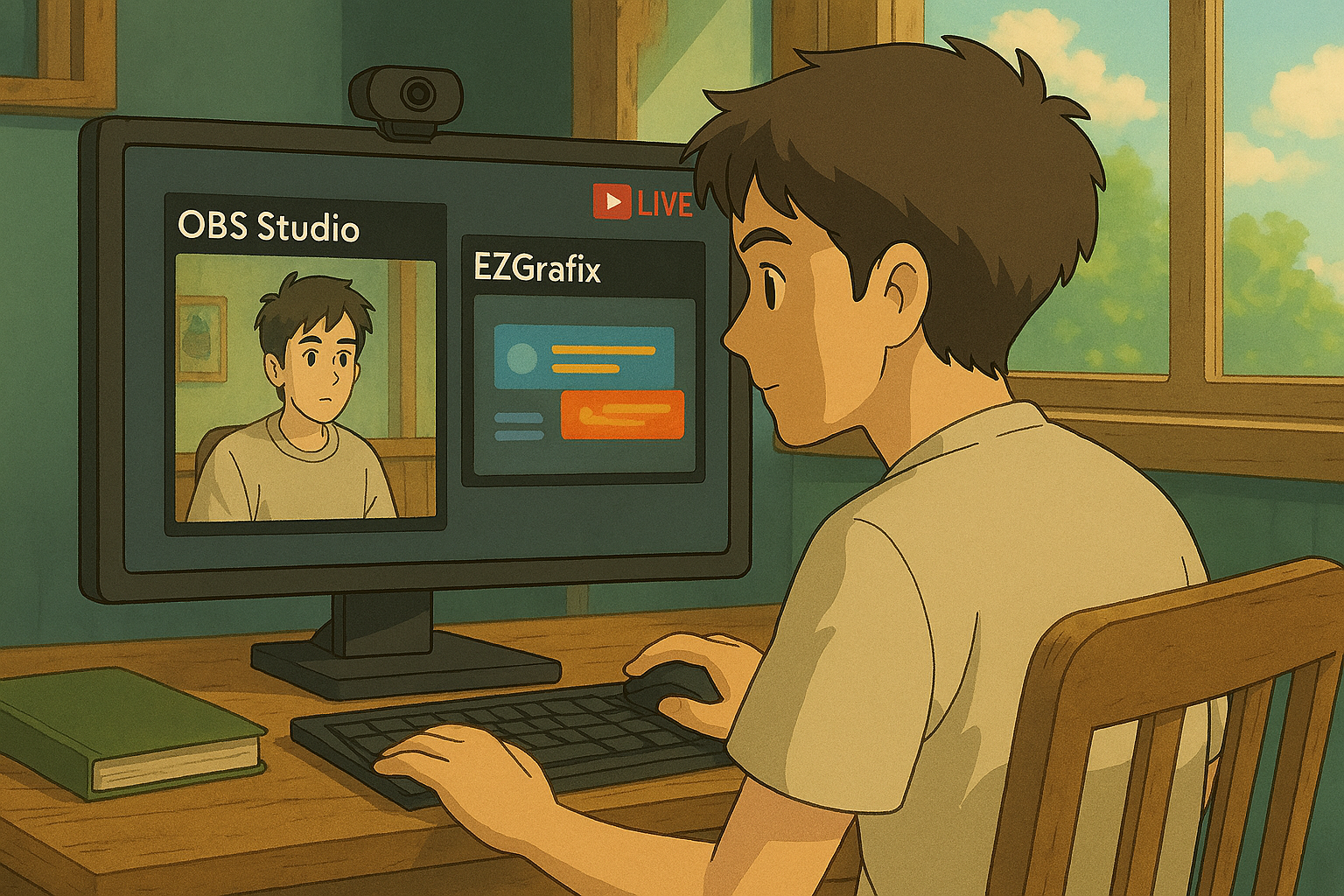
The stream operator is the backbone of the live broadcast. They manage the stream using software like OBS or vMix, connect to platforms like YouTube, and handle all the technical details.
- Before the match: They check the internet connection, enter the correct stream key, set up video and audio sources, and run tests.
- During the match: They monitor stream health, watch for dropped frames, and troubleshoot sudden problems.
- At the end: They smoothly close the stream to avoid awkward cut-offs.
Without the stream operator, there’s no broadcast at all.
4. Live Scorer / Match Logger – The Data Brain
The live scorer tracks the official match data.
- They log goals, cards, substitutions, and other key events in real time.
- They update the graphics operator so what’s on screen always matches the action.
- They use tools like SPAN to tag moments.
Without accurate logging, the entire broadcast can become confusing or even misleading to viewers.
5. Graphics Operator – The On-Screen Magic Maker
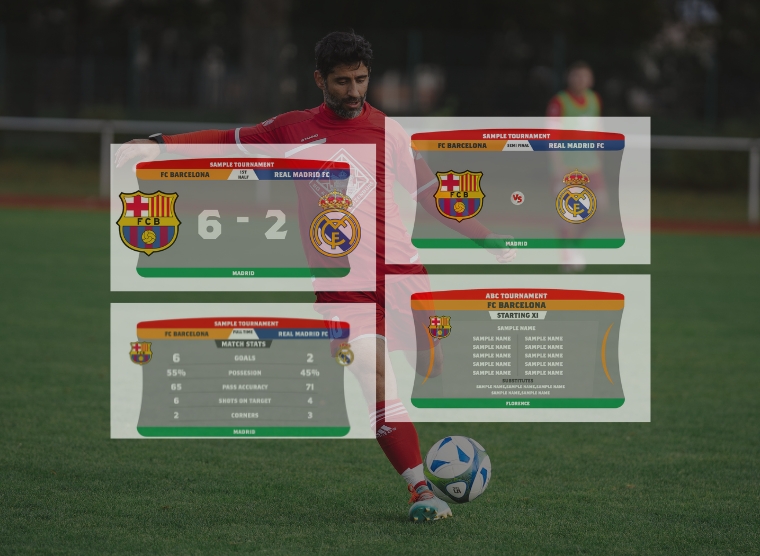
This role handles all the live graphics you see on screen: the scorebug, team lineups, and goal animations.
- They set up graphics before the match.
- They listen for real-time updates from the live scorer or director, like “Goal for Team A!” or “Yellow card for Player 9.”
- They trigger graphics at exactly the right moment to keep viewers informed.
A skilled graphics operator can make even a small production feel like a professional TV broadcast.
6. Replay Operator – The Instant Replay Master
In tournaments where replays are available (even low-budget ones), the replay operator adds major value.
- They mark key moments like goals, fouls, or near-misses for playback.
- They coordinate with the director to know which replay to show and when.
- They control the playback speed, whether it’s full-speed or slow motion.
A good replay operator elevates production quality and gives the audience a TV-like experience.
7. Commentator – The Voice of the Game
The commentator gives life and energy to the broadcast.
- They deliver play-by-play narration.
- They provide insights into players, tactics, and match history.
- They use live graphics and team sheets to make their commentary accurate and engaging.
Even in small setups, a good commentator can make the audience feel like they’re watching a high-end production.
8. Director – The Team Captain
The director leads the entire operation.
- They guide the camera operator on which shots to capture.
- They tell the graphics operator when to trigger specific graphics.
- They update the commentator with behind-the-scenes information.
- They handle communication across the team, often using headsets or walkie-talkies.
In small teams, the director often juggles multiple tasks but keeps everything running smoothly.
Physical Layout
Here’s how the physical setup usually looks:
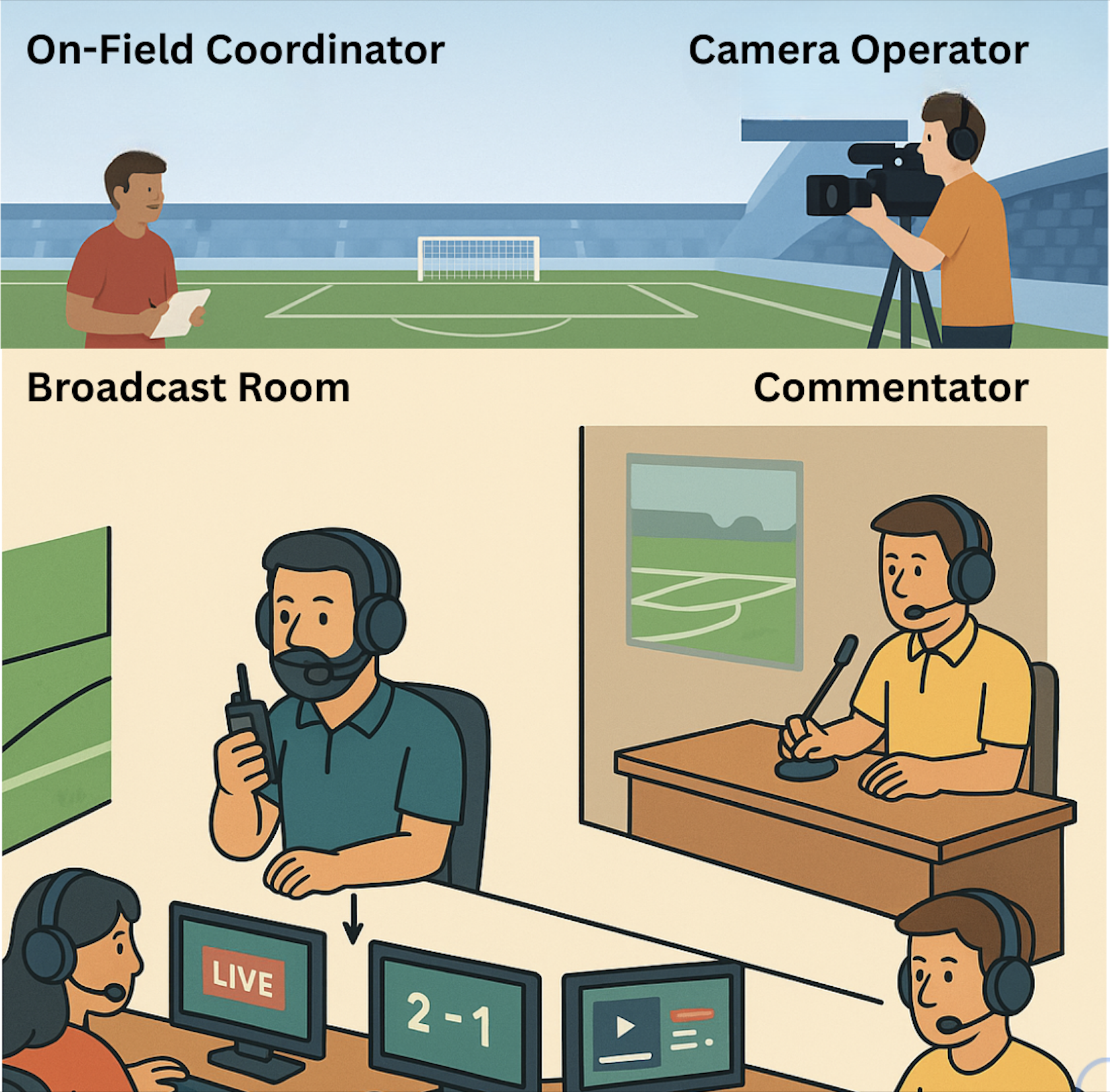
1. Outside the broadcast room:
- The On-Field Coordinator moves near the benches and referees, collecting real-time info.
- The Camera Operator stands elevated on the first-floor stands at the center line with a tripod, capturing the best angle.
2. Inside the broadcast room:
- The Director sits at the center, using a headset or walkie-talkie to manage the team.
- To the left, the Stream Operator manages the live connection, and the Live Scorer inputs real-time stats.
- To the right, the Graphics Operator handles the visuals, and the Replay Operator preps replays.
- In a separate space, the Commentator watches the live feed and delivers energetic commentary.
Tips for Broadcast Teams
- Test everything in advance: Run a mock broadcast to check audio, video, internet, and graphics.
- Define clear roles: Even if people multitask, make sure everyone knows their main job.
- Keep communication simple: One person (usually the director) should give the final call to avoid confusion.
- Prepare backup plans: Always have spare cables, batteries, or internet options ready.
- Stay calm under pressure: Things will go wrong. The best teams recover quickly and keep the show running.
Real-World Use Case: A Regional Football League Broadcast Team
Affordable Tools for Small Broadcast Teams
Once small broadcast teams identified the key roles – Director, Stream Operator, Graphics Operator, Replay Operator, Scoring Operator, Camera Operator, Ground Info Collector, and Commentator – the next big challenge becomes clear:
How can small teams hire and train people for these roles without spending big on software? Most small or amateur broadcast teams start with free or low-cost tools like OBS, SPAN and EZGrafix.
What OBS Offers:
A common choice is OBS (Open Broadcaster Software), widely used for streaming matches directly to YouTube. Many amateur leagues use YouTube to build an audience, and as they grow their fanbase, they often upgrade to paid OTT (over-the-top) streaming platforms.
Within OBS, teams can easily set up: The commentator’s microphone feed A live replay system Custom overlays and graphics With a decent camera, a capture card, HDMI cables, and some basic technical knowledge, even a small team can deliver a polished, professional-looking live stream.
What SPAN Offers:
SPAN is a data creation tool that helps teams manage all the live match data they need for broadcast. With SPAN, teams can: Create tournaments, matches, players, and teams Manage team squads and set the starting eleven for lineup graphics Update live scores directly into the on-screen scorebug Record detailed real-time stats such as goals, yellow/red cards, shot attempts, and more.
What EZGrafix Offers:
EZGrafix is a browser-based graphics solution built for budget-conscious teams, requiring no software installation and supporting multi-user remote access. It integrates real-time data (like Google Sheets) and offers customizable, sport-specific templates. Seamlessly compatible with OBS, vMix, Wirecast, and Streamlabs, EZGrafix empowers even solo operators to deliver professional-quality broadcasts with match intros, live scorebugs, line-ups, stats, and full-time graphics.
Conclusion
Want to see SPAN and EZGrafix in action?
To learn how to use the EZGrafix – demo panel, check out our support resources.Elevate your football broadcast today with EZGrafix and SPAN!